
What should connect to your website — and what shouldn't?
Enquiry forms, email, calendars, CRM, invoicing, project tools — it is easy to assume they should all be joined up. Some should. Many don't need to be. Here is a practical way to decide what to connect, what to leave separate, and when a simple setup is genuinely enough.
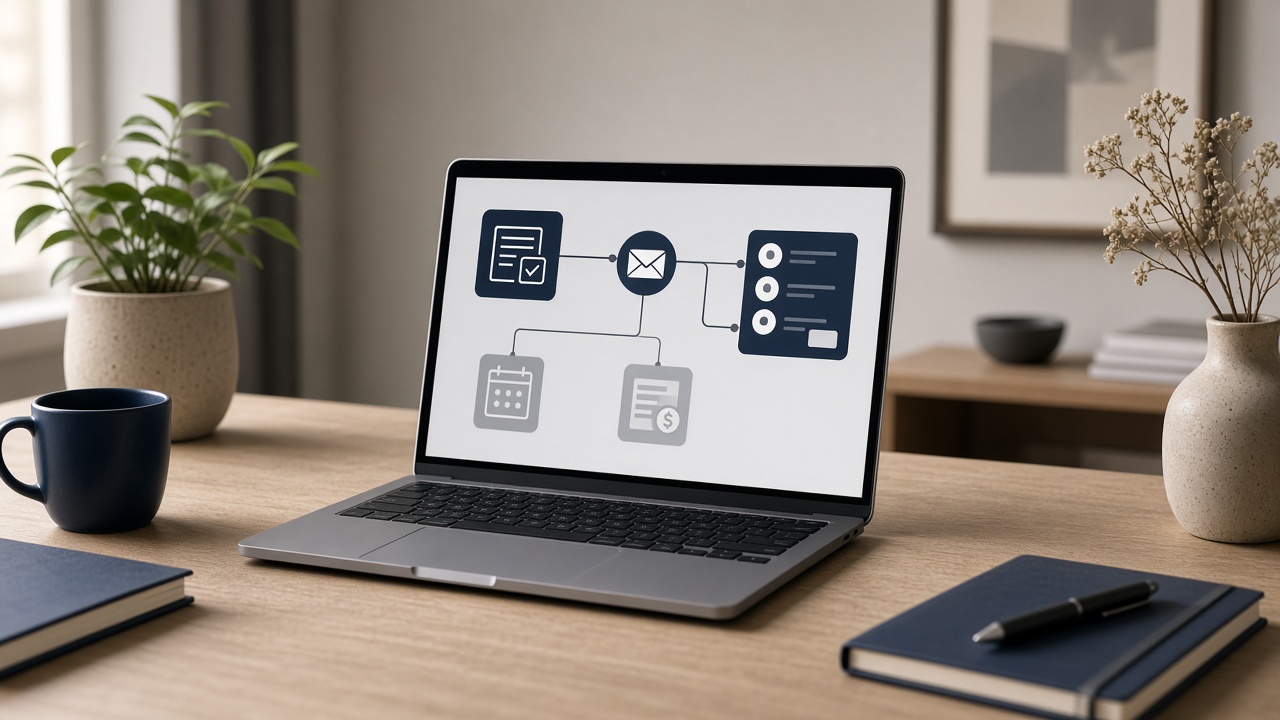
It is one of the most common questions we hear from owners of established businesses across the South West: "Should our website be connected to everything else we use?"
The honest answer is that some connections are well worth making, some are nice to have, and some add cost and complexity without solving a real problem.
This article gives you a straightforward way to decide — before you spend money on integrations you may not need.
Start with the problem, not the tools
The wrong starting point is a list of software. The right starting point is a list of moments where things currently go wrong or slow down.
Ask yourself:
- Where do enquiries get lost, delayed or forgotten?
- Where is someone typing the same information twice?
- Where do mistakes creep in — wrong email addresses, missed follow-ups, double bookings?
- Where does a customer wait because someone internally is waiting on information?
If you cannot point to a specific, recurring problem, a connection is probably not the priority. If you can, you have a reason to look at joining things up — and a way to judge whether it worked.
The common pieces, and what connecting them actually does
Here is what each common building block is useful for, and what connecting it to the website really changes.
Enquiry forms and email
This is the baseline. Your website form should reliably send enquiries to the right inbox, with a clear subject line and the details you need to respond. It should also send the enquirer a sensible confirmation so they know their message arrived.
For many businesses, getting this part right is the single most valuable fix — and it is often the one that has quietly broken. If you are not sure what should happen once an enquiry lands, our article on what should happen after a website enquiry walks through it.
Calendars and booking
Letting people book a call or appointment directly can save a lot of back-and-forth. It makes most sense when the thing being booked is fairly standard — a consultation, a site visit, a discovery call — and when your availability is reasonably predictable.
It makes less sense when every enquiry needs qualifying first, or when booking the wrong kind of appointment wastes a senior person's time. In those cases, a good form followed by a prompt personal reply is often better.
CRM
A CRM (customer relationship management system) is a central record of contacts, enquiries and where each one is up to. Connecting your website forms to it means enquiries arrive already logged, rather than living only in someone's inbox.
That is genuinely useful when several people handle enquiries, when you have a sales process with stages, or when follow-up over weeks or months matters. It is not essential for every business. A small team handling a manageable number of enquiries, with a disciplined shared inbox and a simple tracking sheet, may be perfectly well served without one.
Invoicing and accounts
Connecting your website to invoicing or accounting software is usually only worthwhile if you take payments, deposits or orders online, or if quotes accepted online need to turn into invoices automatically. For most service businesses, enquiries and invoices are separated by conversations, proposals and decisions — and there is little to gain from wiring them together directly.
Project and job management tools
Once work is won, it often moves into a project tool or job management system. Linking that to your CRM (rather than the website itself) can help — for example, creating a job when a deal is marked as won. But it should follow a clear process, not substitute for one.
A simple decision checklist
Before connecting any two systems, run through these questions. If you answer "no" to most of them, keep things separate for now.
- Is there a real, recurring problem? Lost enquiries, duplicate data entry, slow responses or regular mistakes — not just a sense that things "should" be joined up.
- Does it happen often enough to matter? Automating something that happens twice a month rarely pays back. Automating something that happens every day might.
- Is the process already clear? If nobody agrees on what should happen to an enquiry, connecting systems will just automate the confusion.
- Who will own it? Every connection needs someone who notices when it stops working. If no one would notice, that is a risk.
- What happens when it breaks? Integrations do fail — a password changes, a tool updates, a subscription lapses. Is there a fallback, such as enquiries also going to an inbox?
- Is the data worth moving? Sending every newsletter sign-up into your CRM might just create clutter. Be selective about what flows where.
- Can your team actually use the result? A connected system nobody logs into is no better than a disconnected one.
When a simple setup is enough
A simple setup is often the right answer, and there is nothing second-rate about it. It is likely to be enough if:
- one or two people handle all enquiries
- enquiry volume is manageable and responses are prompt
- your services need a conversation before anything can be booked or priced
- you are not taking payments or orders through the website
- the main issues are clarity and trust on the website itself, rather than what happens behind it
In that situation, the smaller fix is usually: make sure forms work reliably, route them to a monitored shared inbox, send a clear confirmation to the enquirer, and agree internally who replies and how quickly. That alone can make a noticeable difference to how professional you appear.
When joining systems up is worth it
Connecting things properly tends to earn its keep when:
- several people share enquiries and it is unclear who is handling what
- enquiries come from multiple places (website, phone, email, referrals) and need one home
- follow-up over time matters and opportunities are slipping through the cracks
- the same details are being retyped into two or three systems
- you need clearer reporting on where enquiries come from and what happens to them
Here, the deeper work is less about technology and more about designing the flow: what information you capture, where it goes, who is notified, and what happens next. The tools come after that.
A hypothetical example
To illustrate — this is an invented scenario, not a client story. Imagine a building surveying firm with four surveyors and an office manager. Website enquiries go to a general inbox, phone enquiries are written in a notebook, and quotes are tracked in a spreadsheet. Nobody is quite sure which enquiries have been answered.
The firm probably does not need its website connected to its accounts package. It might well benefit from forms feeding into a simple CRM or shared pipeline, phone enquiries logged in the same place, and an automatic notification to whoever is on enquiry duty. Booking and invoicing could stay exactly as they are.
Connections won't fix a website that isn't working
One caution. If the website itself is not generating the right enquiries — because it feels dated, unclear, or makes the business look smaller than it really is — then integrations will not solve that. And if you are weighing up whether the site needs a lighter update or a fuller rebuild, our guide on whether to refresh or rebuild your website may help. Not every business needs a rebuild, and not every business needs a CRM. The aim is the right setup for how you actually work.
Getting it right first time
At Westward Digital, we build websites and connected lead systems for established businesses across Somerset, Devon, Dorset, Bristol, and Bath & North East Somerset. Marcus plans every project directly, and before any full build we start with a Digital Discovery: a look at how enquiries currently arrive, where they go, and which connections — if any — are genuinely worth making.
Commercial website work starts from £4,500, and sometimes the most useful outcome of Discovery is confirming that a simpler setup is all you need.
If you are unsure what should connect to your website and what should stay separate, email hello@westwarddigital.co.uk and we will talk it through.
Working through something similar?
We can help you work out what to address first.